2022년 6월 27일 월요일

리눅스 문자와숫자 조합의 파일이름 정렬( Sort alphanumeric filenames in Linux )

아래 처럼 문자와 숫자가 섞여 있는 파일에 대해서 정렬이 제대로 되지 않을 때

When sorting is not done properly for files with mixed letters and numbers as shown below

[codehexa@codehexa test]$ ls -l

total 0

-rw-rw-r-- 1 codehexa codehexa 0 Jun 28 14:34 t1

-rw-rw-r-- 1 codehexa codehexa 0 Jun 28 14:34 t10

-rw-rw-r-- 1 codehexa codehexa 0 Jun 28 14:34 t2

-rw-rw-r-- 1 codehexa codehexa 0 Jun 28 14:34 t3

-rw-rw-r-- 1 codehexa codehexa 0 Jun 28 14:34 t4

-rw-rw-r-- 1 codehexa codehexa 0 Jun 28 14:34 t5

-rw-rw-r-- 1 codehexa codehexa 0 Jun 28 14:34 t6

-rw-rw-r-- 1 codehexa codehexa 0 Jun 28 14:34 t7

-rw-rw-r-- 1 codehexa codehexa 0 Jun 28 14:34 t8

-rw-rw-r-- 1 codehexa codehexa 0 Jun 28 14:34 t9


다음 sort 명령의 옵션을 통해 해결이 가능하다.

This can be resolved through the options of the following sort command.


[codehexa@codehexa test]$ ls -l | sort -V

total 0

-rw-rw-r-- 1 codehexa codehexa 0 Jun 28 14:34 t1

-rw-rw-r-- 1 codehexa codehexa 0 Jun 28 14:34 t2

-rw-rw-r-- 1 codehexa codehexa 0 Jun 28 14:34 t3

-rw-rw-r-- 1 codehexa codehexa 0 Jun 28 14:34 t4

-rw-rw-r-- 1 codehexa codehexa 0 Jun 28 14:34 t5

-rw-rw-r-- 1 codehexa codehexa 0 Jun 28 14:34 t6

-rw-rw-r-- 1 codehexa codehexa 0 Jun 28 14:34 t7

-rw-rw-r-- 1 codehexa codehexa 0 Jun 28 14:34 t8

-rw-rw-r-- 1 codehexa codehexa 0 Jun 28 14:34 t9

-rw-rw-r-- 1 codehexa codehexa 0 Jun 28 14:34 t10


역방향은 정렬은 r옵션을 추가하면 된다.

For the reverse direction, add the r option to sort.


[codehexa@codehexa test]$ ls -l | sort -Vr

-rw-rw-r-- 1 codehexa codehexa 0 Jun 28 14:34 t10

-rw-rw-r-- 1 codehexa codehexa 0 Jun 28 14:34 t9

-rw-rw-r-- 1 codehexa codehexa 0 Jun 28 14:34 t8

-rw-rw-r-- 1 codehexa codehexa 0 Jun 28 14:34 t7

-rw-rw-r-- 1 codehexa codehexa 0 Jun 28 14:34 t6

-rw-rw-r-- 1 codehexa codehexa 0 Jun 28 14:34 t5

-rw-rw-r-- 1 codehexa codehexa 0 Jun 28 14:34 t4

-rw-rw-r-- 1 codehexa codehexa 0 Jun 28 14:34 t3

-rw-rw-r-- 1 codehexa codehexa 0 Jun 28 14:34 t2

-rw-rw-r-- 1 codehexa codehexa 0 Jun 28 14:34 t1

total 0

2022년 2월 17일 목요일

VMWARE FUSION 윈도우10 키보드, 마우스 입력 오류

 vmware fusion 업그레이드 이후에

키보드 입력이나 마우스 커서는 움직이지만 클릭이 되지 않을 때는 아래의 링크에서 아래의 내용을 참고하면 쉽게 해결이 가능하다.

1) Close all running VMs and quit Fusion.

2) Open System Preferences==>Security & Privacy==>Privacy==>Accessibility, remove VMware Fusion and re-add it into the list.

3) Launch VMware Fusion, run Windows 10 VM.

https://communities.vmware.com/t5/VMware-Fusion-Discussions/mouse-click/td-p/2246451

2022년 1월 2일 일요일

[Windows] 영문 윈도우의 CMD창에서 한글이 깨져서 보일 때 대처 방법

cmd창에서 한글이 제대로 표시되지 않는다.


cmd창에서 chcp 명령을 내리면 

Active code page: 437 로 표시된다.


cmd창에서 chcp 949 명령을 내리면


Active code page: 949 로 바뀌어 표시되며 깨진 한글이 정상적으로 표시된다.


2021년 5월 14일 금요일

Mac에서 SSH를 통해 리눅스 원격접속

 $ ssh -X -Y user_id@ip_address


XQuartz를 통해 접속됨


접속 후 gui프로그램을 수행하면 되어 아주 편리함 ^^

2019년 7월 18일 목요일

python ssl.SSLCertVerificationError: [SSL: CERTIFICATE_VERIFY_FAILED] certificate verify failed:

Install Python certificates! (A common issue on macOS.)
Open these files: 
Install Certificates.command
Update Shell Profile.command
Run these two scripts and you wont have this issue any more.


codehexaui-iMac:Python 3.7 codehexa$ pwd
/Applications/Python 3.7
codehexaui-iMac:Python 3.7 codehexa$ ls -tlr
total 696
-rwxr-xr-x  1 root  wheel   2532 Mar 26 05:55 Update Shell Profile.command
-rw-r--r--  1 root  wheel   3875 Mar 26 05:55 ReadMe.rtf
-rw-r--r--  1 root  wheel  13327 Mar 26 05:55 License.rtf
-rwxr-xr-x  1 root  wheel   1418 Mar 26 05:55 Install Certificates.command
-rw-r--r--@ 1 root  wheel      0 Mar 26 05:55 Icon?
lrwxr-xr-x  1 root  wheel     98 Jul  2 04:39 Python Documentation.html -> /Library/Frameworks/Python.framework/Versions/3.7/Resources/English.lproj/Documentation/index.html
drwxr-xr-x  3 root  wheel     96 Jul  2 04:39 Python Launcher.app
drwxr-xr-x  3 root  wheel     96 Jul  2 04:39 IDLE.app
codehexaui-iMac:Python 3.7 codehexa$ ./Install\ Certificates.command 
 -- pip install --upgrade certifi
Requirement already up-to-date: certifi in /Library/Frameworks/Python.framework/Versions/3.7/lib/python3.7/site-packages (2019.6.16)
You are using pip version 19.0.3, however version 19.1.1 is available.
You should consider upgrading via the 'pip install --upgrade pip' command.
 -- removing any existing file or link
 -- creating symlink to certifi certificate bundle
 -- setting permissions
 -- update complete
codehexaui-iMac:Python 3.7 codehexa$ ./Update\ Shell\ Profile.command 
This script will update your shell profile when the 'bin' directory
of python is not early enough of the PATH of your shell.
These changes will be effective only in shell windows that you open
after running this script.

All right, you're a python lover already


2019년 7월 5일 금요일

Install docker(CentOS7)

[root@mail ~]# yum install -y yum-utils
Loaded plugins: auto-update-debuginfo, fastestmirror, langpacks
Determining fastest mirrors
 * base: ftp.kaist.ac.kr
 * extras: ftp.kaist.ac.kr
 * updates: ftp.kaist.ac.kr
base-debuginfo                                                                                 | 2.5 kB  00:00:00  
base-debuginfo/x86_64/primary_db                                                               | 2.6 MB  00:00:04  
Package yum-utils-1.1.31-50.el7.noarch already installed and latest version
Nothing to do

[root@mail ~]# yum-config-manager --add-repo https://download.docker.com/linux/centos/docker-ce.repo
Loaded plugins: auto-update-debuginfo, fastestmirror, langpacks
adding repo from: https://download.docker.com/linux/centos/docker-ce.repo
grabbing file https://download.docker.com/linux/centos/docker-ce.repo to /etc/yum.repos.d/docker-ce.repo
repo saved to /etc/yum.repos.d/docker-ce.repo

[root@mail ~]# yum install -y docker-ce
Loaded plugins: auto-update-debuginfo, fastestmirror, langpacks
Loading mirror speeds from cached hostfile
 * base: ftp.kaist.ac.kr
 * extras: ftp.kaist.ac.kr
 * updates: ftp.kaist.ac.kr
docker-ce-stable                                                                               | 3.5 kB  00:00:00  
docker-ce-stable-debuginfo                                                                     | 3.5 kB  00:00:00  
(1/4): docker-ce-stable/x86_64/updateinfo                                                      |   55 B  00:00:00  
(2/4): docker-ce-stable/x86_64/primary_db                                                      |  29 kB  00:00:00  
(3/4): docker-ce-stable-debuginfo/x86_64/updateinfo                                            |   55 B  00:00:00  
(4/4): docker-ce-stable-debuginfo/x86_64/primary_db                                            | 6.4 kB  00:00:00  
Resolving Dependencies
There are unfinished transactions remaining. You might consider running yum-complete-transaction, or "yum-complete-transaction --cleanup-only" and "yum history redo last", first to finish them. If those don't work you'll have to try removing/installing packages by hand (maybe package-cleanup can help).
--> Running transaction check
---> Package docker-ce.x86_64 3:18.09.7-3.el7 will be installed
--> Processing Dependency: container-selinux >= 2.9 for package: 3:docker-ce-18.09.7-3.el7.x86_64
--> Processing Dependency: containerd.io >= 1.2.2-3 for package: 3:docker-ce-18.09.7-3.el7.x86_64
--> Processing Dependency: docker-ce-cli for package: 3:docker-ce-18.09.7-3.el7.x86_64
--> Running transaction check
---> Package container-selinux.noarch 2:2.99-1.el7_6 will be installed
---> Package containerd.io.x86_64 0:1.2.6-3.3.el7 will be installed
---> Package docker-ce-cli.x86_64 1:18.09.7-3.el7 will be installed
--> Finished Dependency Resolution

Dependencies Resolved

======================================================================================================================
 Package                        Arch                Version                       Repository                     Size
======================================================================================================================
Installing:
 docker-ce                      x86_64              3:18.09.7-3.el7               docker-ce-stable               19 M
Installing for dependencies:
 container-selinux              noarch              2:2.99-1.el7_6                extras                         39 k
 containerd.io                  x86_64              1.2.6-3.3.el7                 docker-ce-stable               26 M
 docker-ce-cli                  x86_64              1:18.09.7-3.el7               docker-ce-stable               14 M

Transaction Summary
======================================================================================================================
Install  1 Package (+3 Dependent packages)

Total download size: 59 M
Installed size: 243 M
Downloading packages:
(1/4): container-selinux-2.99-1.el7_6.noarch.rpm                                               |  39 kB  00:00:00  
warning: /var/cache/yum/x86_64/7/docker-ce-stable/packages/docker-ce-18.09.7-3.el7.x86_64.rpm: Header V4 RSA/SHA512 Signature, key ID 621e9f35: NOKEY
Public key for docker-ce-18.09.7-3.el7.x86_64.rpm is not installed
(2/4): docker-ce-18.09.7-3.el7.x86_64.rpm                                                      |  19 MB  00:00:01  
(3/4): containerd.io-1.2.6-3.3.el7.x86_64.rpm                                                  |  26 MB  00:00:01  
(4/4): docker-ce-cli-18.09.7-3.el7.x86_64.rpm                                                  |  14 MB  00:00:00  
----------------------------------------------------------------------------------------------------------------------
Total                                                                                  29 MB/s |  59 MB  00:00:02  
Retrieving key from https://download.docker.com/linux/centos/gpg
Importing GPG key 0x621E9F35:
 Userid     : "Docker Release (CE rpm) "
 Fingerprint: 060a 61c5 1b55 8a7f 742b 77aa c52f eb6b 621e 9f35
 From       : https://download.docker.com/linux/centos/gpg
Running transaction check
Running transaction test
Transaction test succeeded
Running transaction
  Installing : 2:container-selinux-2.99-1.el7_6.noarch                                                            1/4
setsebool:  SELinux is disabled.
  Installing : containerd.io-1.2.6-3.3.el7.x86_64                                                                 2/4
  Installing : 1:docker-ce-cli-18.09.7-3.el7.x86_64                                                               3/4
  Installing : 3:docker-ce-18.09.7-3.el7.x86_64                                                                   4/4
  Verifying  : 3:docker-ce-18.09.7-3.el7.x86_64                                                                   1/4
  Verifying  : 1:docker-ce-cli-18.09.7-3.el7.x86_64                                                               2/4
  Verifying  : containerd.io-1.2.6-3.3.el7.x86_64                                                                 3/4
  Verifying  : 2:container-selinux-2.99-1.el7_6.noarch                                                            4/4

Installed:
  docker-ce.x86_64 3:18.09.7-3.el7                                                                                  

Dependency Installed:
  container-selinux.noarch 2:2.99-1.el7_6  containerd.io.x86_64 0:1.2.6-3.3.el7  docker-ce-cli.x86_64 1:18.09.7-3.el7

Complete!

[root@mail ~]# systemctl start docker
[root@mail ~]# ps -ef | grep docker
root      82984      1  0 07:09 ?        00:00:00 /usr/bin/dockerd -H fd:// --containerd=/run/containerd/containerd.sock
root      83623  69874  0 07:09 pts/0    00:00:00 grep --color=auto docker

[root@mail ~]# docker info
Containers: 0
 Running: 0
 Paused: 0
 Stopped: 0
Images: 0
Server Version: 18.09.7
Storage Driver: overlay2
 Backing Filesystem: xfs
 Supports d_type: true
 Native Overlay Diff: true
Logging Driver: json-file
Cgroup Driver: cgroupfs
Plugins:
 Volume: local
 Network: bridge host macvlan null overlay
 Log: awslogs fluentd gcplogs gelf journald json-file local logentries splunk syslog
Swarm: inactive
Runtimes: runc
Default Runtime: runc
Init Binary: docker-init
containerd version: 894b81a4b802e4eb2a91d1ce216b8817763c29fb
runc version: 425e105d5a03fabd737a126ad93d62a9eeede87f
init version: fec3683
Security Options:
 seccomp
  Profile: default
Kernel Version: 3.10.0-957.1.3.el7.x86_64
Operating System: CentOS Linux 7 (Core)
OSType: linux
Architecture: x86_64
CPUs: 1
Total Memory: 1.777GiB
Name: mail.naver.com
ID: 7XS6:53U6:SGZI:WRQU:QQJ4:T2W5:CRAW:JJL4:4CH4:NX3J:OF34:653B
Docker Root Dir: /var/lib/docker
Debug Mode (client): false
Debug Mode (server): false
Registry: https://index.docker.io/v1/
Labels:
Experimental: false
Insecure Registries:
 127.0.0.0/8
Live Restore Enabled: false
Product License: Community Engine

[root@mail ~]# docker -v
Docker version 18.09.7, build 2d0083d

2019년 1월 19일 토요일

Install rewrap on Solaris 11

sqlplus를 이용하던 중 화살표 키를 이용하여 이전 명령을 수행시
SCOTT@orcl> ^[[A^[[A^[[A 처럼 나와서 예전에 리눅스에서 사용한 rlwrap가 생각이 나서
설치를 해본다.


# pkgadd -d http://get.opencsw.org/now

# /opt/csw/bin/pkgutil -U

# /opt/csw/bin/pkgutil -y -i rlwrap

# /opt/sbin/pkgchk -L CSWrlwrap # list files                           // 잘 설치 되었는지 확인

출처 - https://www.opencsw.org/packages/rlwrap/

설치가 잘 되었다면

사용자 계정의 PATH에  /opt/csw/bin 을 추가한 후 사용하면 된다.

$ rlwrap sqlplus

이제 부터는 화살표 키를 이용하여 history 확인이 가능하여 이전에 입력한 명령어를
쉽게 다시 수행할 수 있다. 

2018년 12월 15일 토요일

Create a scott account and sample schema in Oracle 18c


아래 내용으로 demobld.sql 파일을 생성한다.
--
-- Copyright (c) Oracle Corporation 1988, 1999.  All Rights Reserved.
--
--  NAME
--    demobld.sql
--
-- DESCRIPTION
--   This script creates the SQL*Plus demonstration tables in the
--   current schema.  It should be STARTed by each user wishing to
--   access the tables.  To remove the tables use the demodrop.sql
--   script.
--
--  USAGE
--       SQL> START demobld.sql
--
--

SET TERMOUT ON
PROMPT Building demonstration tables.  Please wait.
SET TERMOUT OFF

DROP TABLE EMP;
DROP TABLE DEPT;
DROP TABLE BONUS;
DROP TABLE SALGRADE;
DROP TABLE DUMMY;

CREATE TABLE EMP
       (EMPNO NUMBER(4) NOT NULL,
        ENAME VARCHAR2(10),
        JOB VARCHAR2(9),
        MGR NUMBER(4),
        HIREDATE DATE,
        SAL NUMBER(7, 2),
        COMM NUMBER(7, 2),
        DEPTNO NUMBER(2));

INSERT INTO EMP VALUES
        (7369, 'SMITH',  'CLERK',     7902,
        TO_DATE('17-DEC-1980', 'DD-MON-YYYY'),  800, NULL, 20);
INSERT INTO EMP VALUES
        (7499, 'ALLEN',  'SALESMAN',  7698,
        TO_DATE('20-FEB-1981', 'DD-MON-YYYY'), 1600,  300, 30);
INSERT INTO EMP VALUES
        (7521, 'WARD',   'SALESMAN',  7698,
        TO_DATE('22-FEB-1981', 'DD-MON-YYYY'), 1250,  500, 30);
INSERT INTO EMP VALUES
        (7566, 'JONES',  'MANAGER',   7839,
        TO_DATE('2-APR-1981', 'DD-MON-YYYY'),  2975, NULL, 20);
INSERT INTO EMP VALUES
        (7654, 'MARTIN', 'SALESMAN',  7698,
        TO_DATE('28-SEP-1981', 'DD-MON-YYYY'), 1250, 1400, 30);
INSERT INTO EMP VALUES
        (7698, 'BLAKE',  'MANAGER',   7839,
        TO_DATE('1-MAY-1981', 'DD-MON-YYYY'),  2850, NULL, 30);
INSERT INTO EMP VALUES
        (7782, 'CLARK',  'MANAGER',   7839,
        TO_DATE('9-JUN-1981', 'DD-MON-YYYY'),  2450, NULL, 10);
INSERT INTO EMP VALUES
        (7788, 'SCOTT',  'ANALYST',   7566,
        TO_DATE('09-DEC-1982', 'DD-MON-YYYY'), 3000, NULL, 20);
INSERT INTO EMP VALUES
        (7839, 'KING',   'PRESIDENT', NULL,
        TO_DATE('17-NOV-1981', 'DD-MON-YYYY'), 5000, NULL, 10);
INSERT INTO EMP VALUES
        (7844, 'TURNER', 'SALESMAN',  7698,
        TO_DATE('8-SEP-1981', 'DD-MON-YYYY'),  1500,    0, 30);
INSERT INTO EMP VALUES
        (7876, 'ADAMS',  'CLERK',     7788,
        TO_DATE('12-JAN-1983', 'DD-MON-YYYY'), 1100, NULL, 20);
INSERT INTO EMP VALUES
        (7900, 'JAMES',  'CLERK',     7698,
        TO_DATE('3-DEC-1981', 'DD-MON-YYYY'),   950, NULL, 30);
INSERT INTO EMP VALUES
        (7902, 'FORD',   'ANALYST',   7566,
        TO_DATE('3-DEC-1981', 'DD-MON-YYYY'),  3000, NULL, 20);
INSERT INTO EMP VALUES
        (7934, 'MILLER', 'CLERK',     7782,
        TO_DATE('23-JAN-1982', 'DD-MON-YYYY'), 1300, NULL, 10);

CREATE TABLE DEPT
       (DEPTNO NUMBER(2),
        DNAME VARCHAR2(14),
        LOC VARCHAR2(13) );

INSERT INTO DEPT VALUES (10, 'ACCOUNTING', 'NEW YORK');
INSERT INTO DEPT VALUES (20, 'RESEARCH',   'DALLAS');
INSERT INTO DEPT VALUES (30, 'SALES',      'CHICAGO');
INSERT INTO DEPT VALUES (40, 'OPERATIONS', 'BOSTON');

CREATE TABLE BONUS
        (ENAME VARCHAR2(10),
         JOB   VARCHAR2(9),
         SAL   NUMBER,
         COMM  NUMBER);

CREATE TABLE SALGRADE
        (GRADE NUMBER,
         LOSAL NUMBER,
         HISAL NUMBER);

INSERT INTO SALGRADE VALUES (1,  700, 1200);
INSERT INTO SALGRADE VALUES (2, 1201, 1400);
INSERT INTO SALGRADE VALUES (3, 1401, 2000);
INSERT INTO SALGRADE VALUES (4, 2001, 3000);
INSERT INTO SALGRADE VALUES (5, 3001, 9999);

CREATE TABLE DUMMY
        (DUMMY NUMBER);

INSERT INTO DUMMY VALUES (0);

COMMIT;

SET TERMOUT ON
PROMPT Demonstration table build is complete.
EXIT


위와 같은 오류가 발생 시에는
다음을 수행해 준다.

@demobld.sql이 정상 수행되면
아래 처럼 확인하면 끝!

Solaris time synchronization


간혹 time.bora.net 이 동작을 하지 않을 때가 있는데
이럴 경우에는  # nptdate kr.pool.ntp.org 를 사용해서 시간을 동기화 해준다.

참고로 리눅스에서의 시간 관리는 이전에 작성한 내용을 참조한다.
https://codehexa.blogspot.com/2016/11/linux-rdate-date-hwclock.html

2018년 12월 9일 일요일

Applying jellybean theme Vim on Mac OS X

https://www.vim.org/scripts/script.php?script_id=2555 에서


jellybeans.vim 링크를 선택하여 해당 파일을 다운로드 한뒤

$ sudo mv jellybeans.vim /usr/share/vim/vim80/colors

수행한 뒤

사용자 홈 디렉토리에서 .vimrc파일 생성 후 아래와 같이 작성해 주면 끝

if has("syntax")
    syntax on
endif

set autoindent
set cindent
set smartindent
set ts=4
set shiftwidth=4

colorschem jellybeans


Enable sudo on Mac OS X

Mac OS X 에서 sudo 명령어를 사용하여
시스템에서 사용되는 폴더에 접근하려면 다음과 같이 해줘야 한다.

Mac OS X  부팅전에 command + R 키를 누르고 있으면 복구모드로 들어가게 된다.
복구모드에서 Terminal을 수행 후

$ csrutil disable

재부팅 후에 사용중인 사용자로 로그인 한 후에
 terminal에서

$ csrutil status
System Integrity Protection status: disabled.

위 처럼 메시지가 표시되면 성공!

2018년 12월 8일 토요일

oracle 18c installation sample schema

오라클 설치를 하였으니
테스트용으로 HR 샘플 스키마를 설치한다.

oracle@solaris:~$ sqlplus sys as sysdba

Connected to:
SQL*Plus: Release 18.0.0.0.0 - Production on Sun Dec 2 06:50:10 2018
Version 18.3.0.0.0

Copyright (c) 1982, 2018, Oracle.   All rights reserved.

Enter password:

Connected to:
Oracle Database 18c Enterprise Edtion Release 18.0.0.0.0 - Production
Version 18.3.0.0.0

SQL> alter session set "_ORACLE_SCRIPT"=true;    -- 이걸 안해주면 아래와 같은 오류가 발생한다.

-- ora-20000 schema hr does not exist or insufficient privileges

SQL> @?/demo/schema/human_resources/hr_main.sql

specify password for HR as parameter 1:
Enter value for 1: hr

specify default tablespace for HR as parameter 2:
Enter value for 2: users

specify temporary tablespace for HR as parameter 3:
Enter value for 3: temp

specify log path as parameter 4:
Enter value for 4: $ORACLE_HOME/demo/schema/log/

……

Comment created.

Commit complete.

PL/SQL procedure successfully completed.


SQL>

2018년 12월 1일 토요일

oracle 18c install 관련하여

오랜만에 뜬금없이 solaris 11.4를 설치하고 무얼할까? 고민하다가
oracle 18c를 설치해 보기로 한다.
12c 이후로 참으로 오랜만에 oracle을 설치해본다.

우선은 https://docs.oracle.com/en/database/oracle/oracle-database/18/ssdbi/lot.html 페이지를 스르륵 한번 보는 걸로 시작.


설치하면서 잘 안되는 부분에 대해서만 나중에 잊어버리지 않기 위해 나름대로
정리를 해둔다.

우선  oracle을 설치전에 preinstall 패키지를 설치


oracle 유저 생성
오랜만에 하려니 이것도 옵션이 잘 기억이 나지 않네.


패스워드 설정


파일 다운 받아서 적절한 위치로 옮겨주고 unzip 해준뒤에
runInstaller을 수행한다.


순조롭게 잘 진행이 되다가 swap 관련 오류가 발생

swap 용량 확인 후 좀 늘려줘서 해결하고


아래는 공유 메모리 부족으로 오류 발생

공유 메모리를 좀 더 잡아주니 해결됨

$ dbca 수행 시작!
별 오류없이 순조롭게 잘 진행이 되고
설치는 완료

일단 재부팅을 한번 해주고

.profile 에 다음을 추가

$lsnrctl start를 했는데 뭔가 이상하다.
아래 그림의 아래에서 셋째줄
The listener supports no services


listener.ora 파일을 수정


정지하고
 시작 하니 된다.


이제 오랜만에 sql 가지고 좀 놀아봐야겠다. ㅋㅋ

2018년 11월 29일 목요일

[Virtualbox] Guest OS solaris 11.4 Increse hdd size


How to resize a virtualbox VDI disk under windows

VBoxManage.exe 명령을 사용한다.

아래 명령을 관리자: 명령 프롬프트에서 수행 하면 끝
"c:\Program Files\Oracle\VirtualBox\VBoxManage.exe" modifyhd "C:\Users\bitnine\VirtualBox VMs\solaris\solaris.vdi" --resize 40960
0%...10%...20%...30%...40%...50%...60%...70%...80%...90%...100%


2018년 7월 15일 일요일

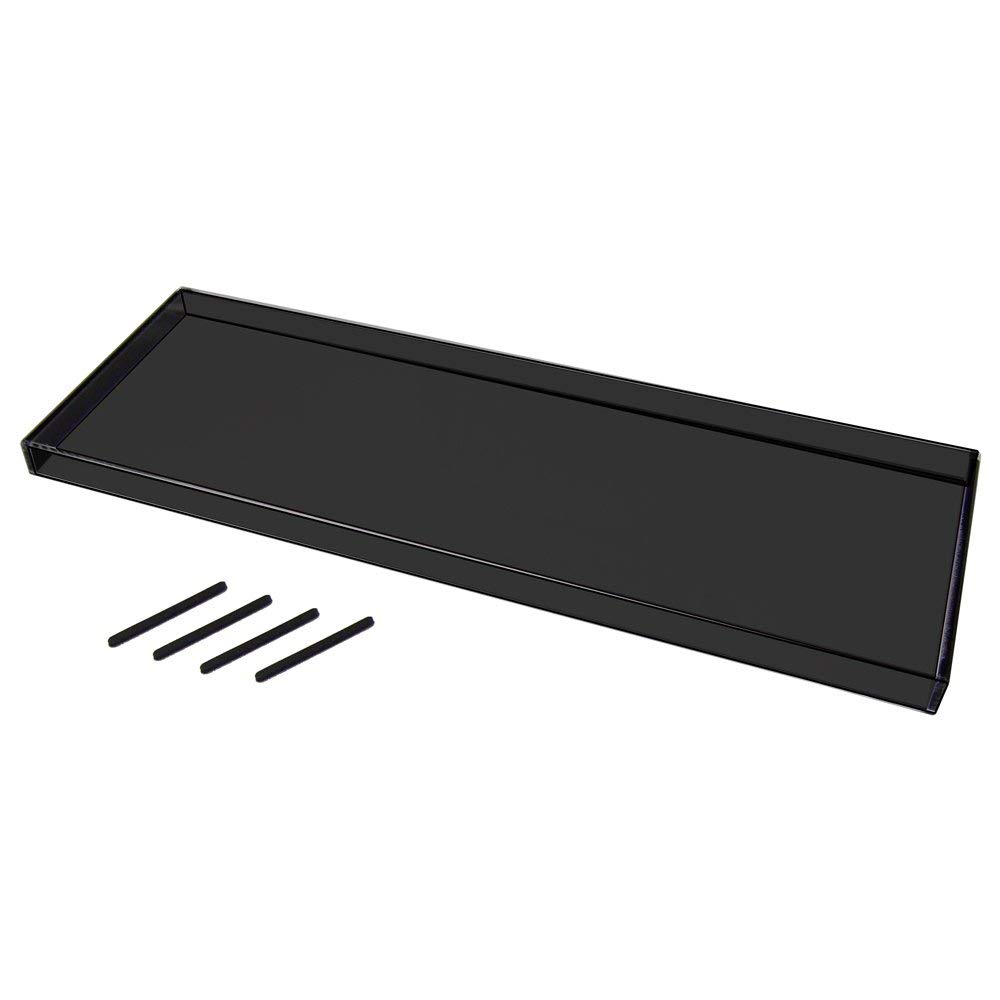
해피해킹 키보드 루프

해피해킹 키보드 스킨이 없을까? 하고 찾아보다가
우연히 발견하게된 키보드 루프를 구매했다.
Bird Electronic Keyboard Roof Pro Ink PZ – Kbrf – hhprob

전체적으로 키보드를 잘 커버해 주고
키보드가 다치지(?) 않게 우레탄 부품도 들어 있어 나름 만족한다.

이제 먼지에서 어느정도 해방될까 했는데
색깔이 어두운 색이라 햇빛이 비칠때 먼지가 눈에 너무 잘 띄는게 흠이라면 흠.
하지만 이미 샀으니 그냥 열심히 먼지 털어주면서 사용해야지!


리눅스 문자와숫자 조합의 파일이름 정렬( Sort alphanumeric filenames in Linux )

아래 처럼 문자와 숫자가 섞여 있는 파일에 대해서 정렬이 제대로 되지 않을 때 When sorting is not done properly for files with mixed letters and numbers as shown below [codeh...