2018년 12월 8일 토요일

oracle 18c installation sample schema

오라클 설치를 하였으니
테스트용으로 HR 샘플 스키마를 설치한다.

oracle@solaris:~$ sqlplus sys as sysdba

Connected to:
SQL*Plus: Release 18.0.0.0.0 - Production on Sun Dec 2 06:50:10 2018
Version 18.3.0.0.0

Copyright (c) 1982, 2018, Oracle.   All rights reserved.

Enter password:

Connected to:
Oracle Database 18c Enterprise Edtion Release 18.0.0.0.0 - Production
Version 18.3.0.0.0

SQL> alter session set "_ORACLE_SCRIPT"=true;    -- 이걸 안해주면 아래와 같은 오류가 발생한다.

-- ora-20000 schema hr does not exist or insufficient privileges

SQL> @?/demo/schema/human_resources/hr_main.sql

specify password for HR as parameter 1:
Enter value for 1: hr

specify default tablespace for HR as parameter 2:
Enter value for 2: users

specify temporary tablespace for HR as parameter 3:
Enter value for 3: temp

specify log path as parameter 4:
Enter value for 4: $ORACLE_HOME/demo/schema/log/

……

Comment created.

Commit complete.

PL/SQL procedure successfully completed.


SQL>

2018년 12월 1일 토요일

oracle 18c install 관련하여

오랜만에 뜬금없이 solaris 11.4를 설치하고 무얼할까? 고민하다가
oracle 18c를 설치해 보기로 한다.
12c 이후로 참으로 오랜만에 oracle을 설치해본다.

우선은 https://docs.oracle.com/en/database/oracle/oracle-database/18/ssdbi/lot.html 페이지를 스르륵 한번 보는 걸로 시작.


설치하면서 잘 안되는 부분에 대해서만 나중에 잊어버리지 않기 위해 나름대로
정리를 해둔다.

우선  oracle을 설치전에 preinstall 패키지를 설치


oracle 유저 생성
오랜만에 하려니 이것도 옵션이 잘 기억이 나지 않네.


패스워드 설정


파일 다운 받아서 적절한 위치로 옮겨주고 unzip 해준뒤에
runInstaller을 수행한다.


순조롭게 잘 진행이 되다가 swap 관련 오류가 발생

swap 용량 확인 후 좀 늘려줘서 해결하고


아래는 공유 메모리 부족으로 오류 발생

공유 메모리를 좀 더 잡아주니 해결됨

$ dbca 수행 시작!
별 오류없이 순조롭게 잘 진행이 되고
설치는 완료

일단 재부팅을 한번 해주고

.profile 에 다음을 추가

$lsnrctl start를 했는데 뭔가 이상하다.
아래 그림의 아래에서 셋째줄
The listener supports no services


listener.ora 파일을 수정


정지하고
 시작 하니 된다.


이제 오랜만에 sql 가지고 좀 놀아봐야겠다. ㅋㅋ

2018년 11월 29일 목요일

[Virtualbox] Guest OS solaris 11.4 Increse hdd size


How to resize a virtualbox VDI disk under windows

VBoxManage.exe 명령을 사용한다.

아래 명령을 관리자: 명령 프롬프트에서 수행 하면 끝
"c:\Program Files\Oracle\VirtualBox\VBoxManage.exe" modifyhd "C:\Users\bitnine\VirtualBox VMs\solaris\solaris.vdi" --resize 40960
0%...10%...20%...30%...40%...50%...60%...70%...80%...90%...100%


2018년 7월 15일 일요일

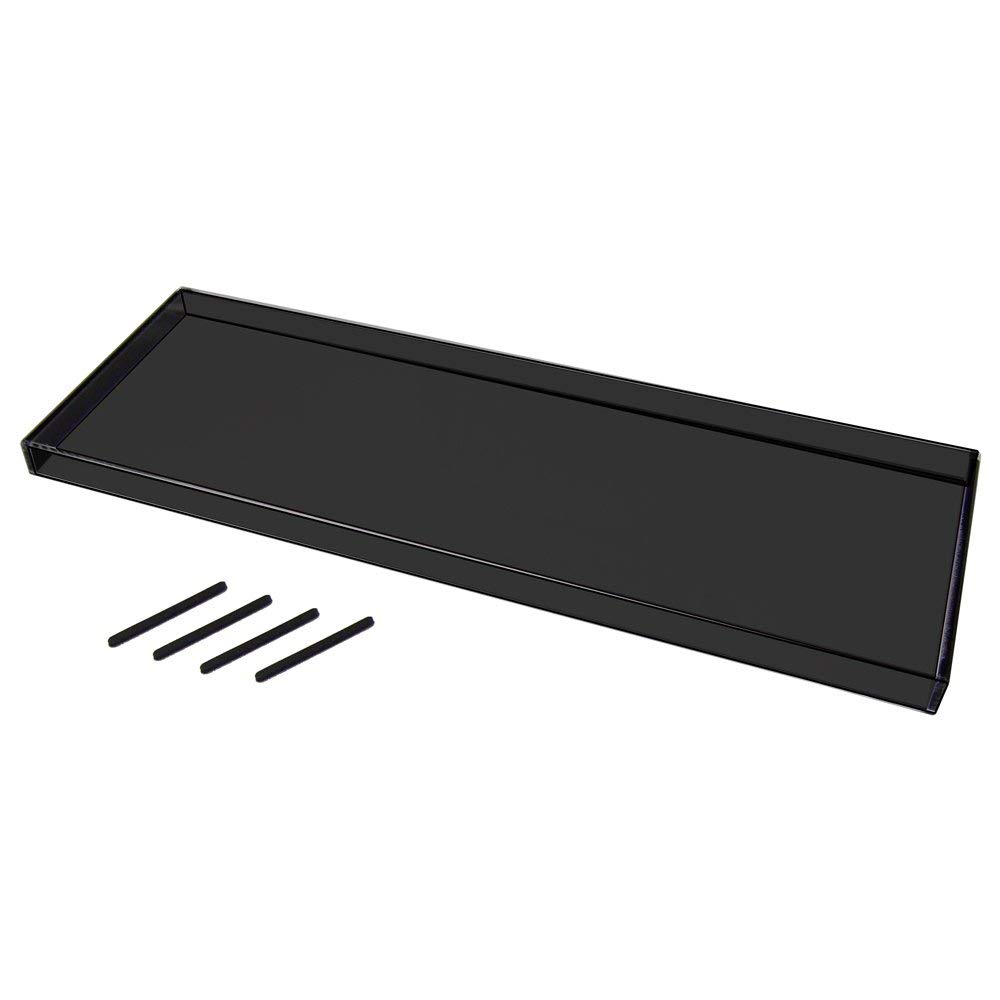
해피해킹 키보드 루프

해피해킹 키보드 스킨이 없을까? 하고 찾아보다가
우연히 발견하게된 키보드 루프를 구매했다.
Bird Electronic Keyboard Roof Pro Ink PZ – Kbrf – hhprob

전체적으로 키보드를 잘 커버해 주고
키보드가 다치지(?) 않게 우레탄 부품도 들어 있어 나름 만족한다.

이제 먼지에서 어느정도 해방될까 했는데
색깔이 어두운 색이라 햇빛이 비칠때 먼지가 눈에 너무 잘 띄는게 흠이라면 흠.
하지만 이미 샀으니 그냥 열심히 먼지 털어주면서 사용해야지!


2018년 7월 11일 수요일

Shell script for 활용

vi test

linux
unix
minix
freebsd
openbsd
netbsd
macos
----------------------------
vi test.sh

#!/bin/sh

var1=`cat test`
echo $var1
for value in $var1
do
        touch $value
done

----------------------------
result

$ ls -ltr
-rw-rw-r-- 1 codehexa codehexa 80 2018-07-11 09:47 test.sh
-rw-rw-r-- 1 codehexa codehexa47 2018-07-11 16:47 test
-rw-rw-r-- 1 codehexa codehexa  0 2018-07-11 16:47 linux
-rw-rw-r-- 1 codehexa codehexa  0 2018-07-11 16:47 unix
-rw-rw-r-- 1 codehexa codehexa  0 2018-07-11 16:47 minix
-rw-rw-r-- 1 codehexa codehexa  0 2018-07-11 16:47 freebsd
-rw-rw-r-- 1 codehexa codehexa  0 2018-07-11 16:47 openbsd
-rw-rw-r-- 1 codehexa codehexa  0 2018-07-11 16:47 netbsd
-rw-rw-r-- 1 codehexa codehexa  0 2018-07-11 16:47 macos

리눅스 문자와숫자 조합의 파일이름 정렬( Sort alphanumeric filenames in Linux )

아래 처럼 문자와 숫자가 섞여 있는 파일에 대해서 정렬이 제대로 되지 않을 때 When sorting is not done properly for files with mixed letters and numbers as shown below [codeh...